The Logitech G502 is one of the best gaming mice for action RPGs like Genshin Impact and Zenless Zone Zero — not because of its sensor, but because of the programmable side buttons. If you’re playing on PC but aren’t comfortable with fast keyboard combos, a few macros turn complex skill rotations into single clicks.
I’ve been using this setup across multiple accounts and game patches. The configs below have survived several updates without breaking.
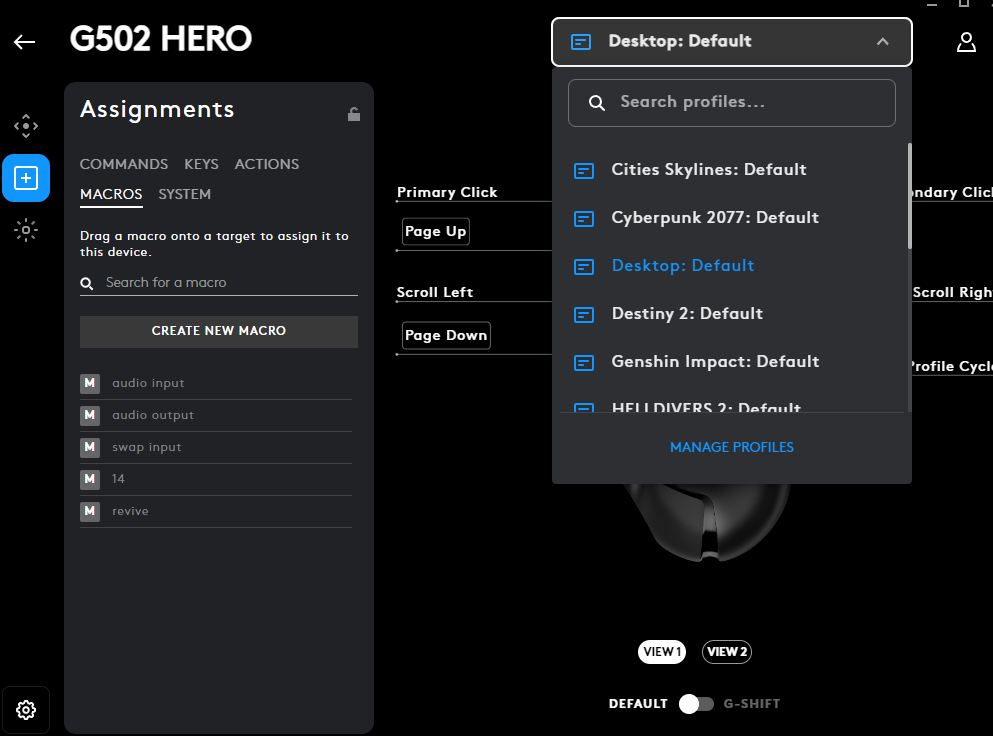
How to Set Up Logitech G Hub for Game Profiles
- Install Logitech G Hub from Logitech’s official website
- Launch the game once so the EXE appears in G Hub’s detected games list
- Click the game tile in G Hub → Create Profile — macros in this profile only activate while the game is running
Genshin Impact — G502 Button Mapping
Button Layout
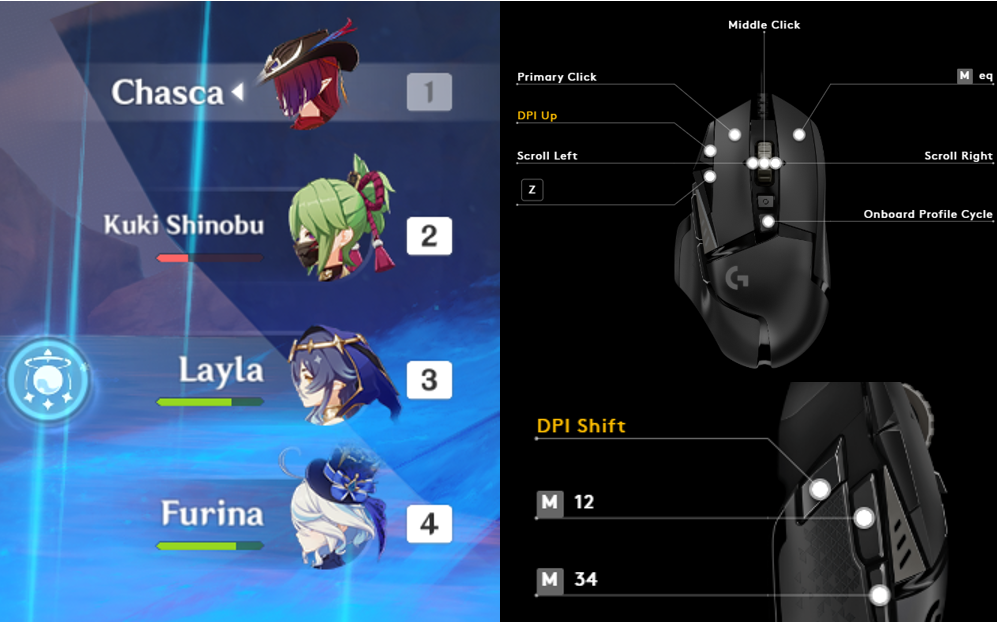
Configuration Table
| Button | Setup in G Hub | What It Does |
|---|---|---|
| Z button | Key = Z | Eat food / heal |
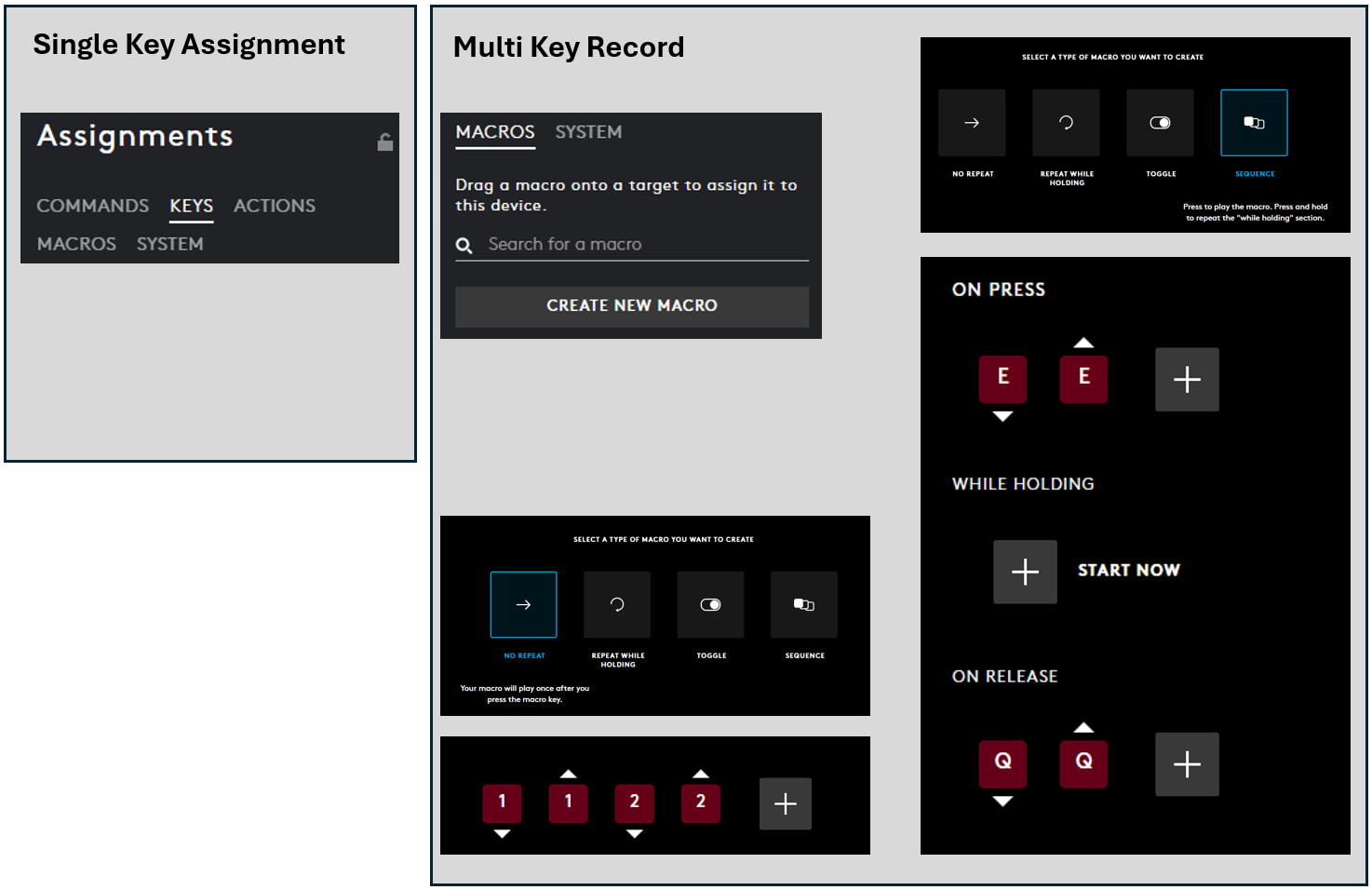
| Secondary Click | Macro → Sequence → On Press: E → On Release: Q | Tap for Skill (hold possible); release triggers Ultimate |
| 12 button | Macro → No Repeat → Record: 1, 2 | Switch between character 1 & 2 |
| 34 button | Macro → No Repeat → Record: 3, 4 | Switch between character 3 & 4 |
Why This Works
The skill/ultimate macro fires E on mouse-down and Q on mouse-up. This means you can hold the button for a charged skill, then release to follow up with the ultimate — the same as a skilled keyboard player but with one button.
Best team compositions: Works best with off-field characters that have short skill cooldowns. Example: Kuki → Layla → Furina → Chasca — attack 3 times, cycle back to Kuki just as skills reset.
Known limitation: The ultimate fires the moment you release the button. If your character has a delayed ultimate animation, you may accidentally trigger it early.
Zenless Zone Zero — G502 Button Mapping
Button Layout
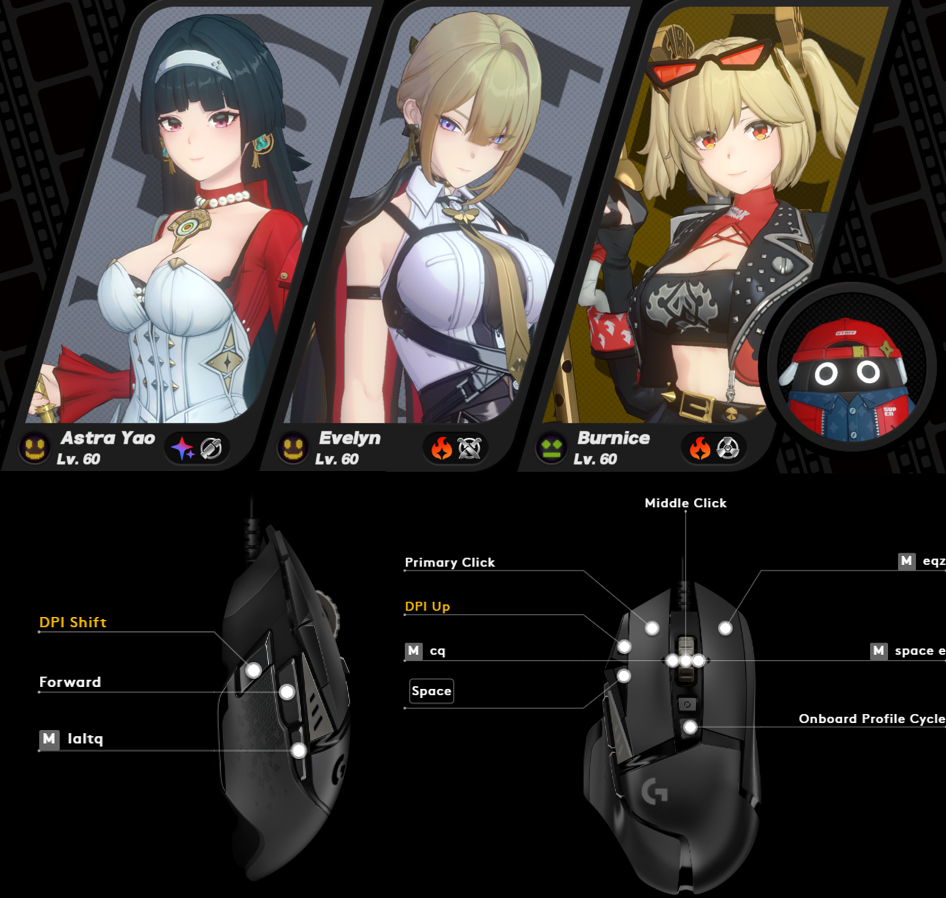
Configuration Table
| Button | Setup in G Hub | What It Does |
|---|---|---|
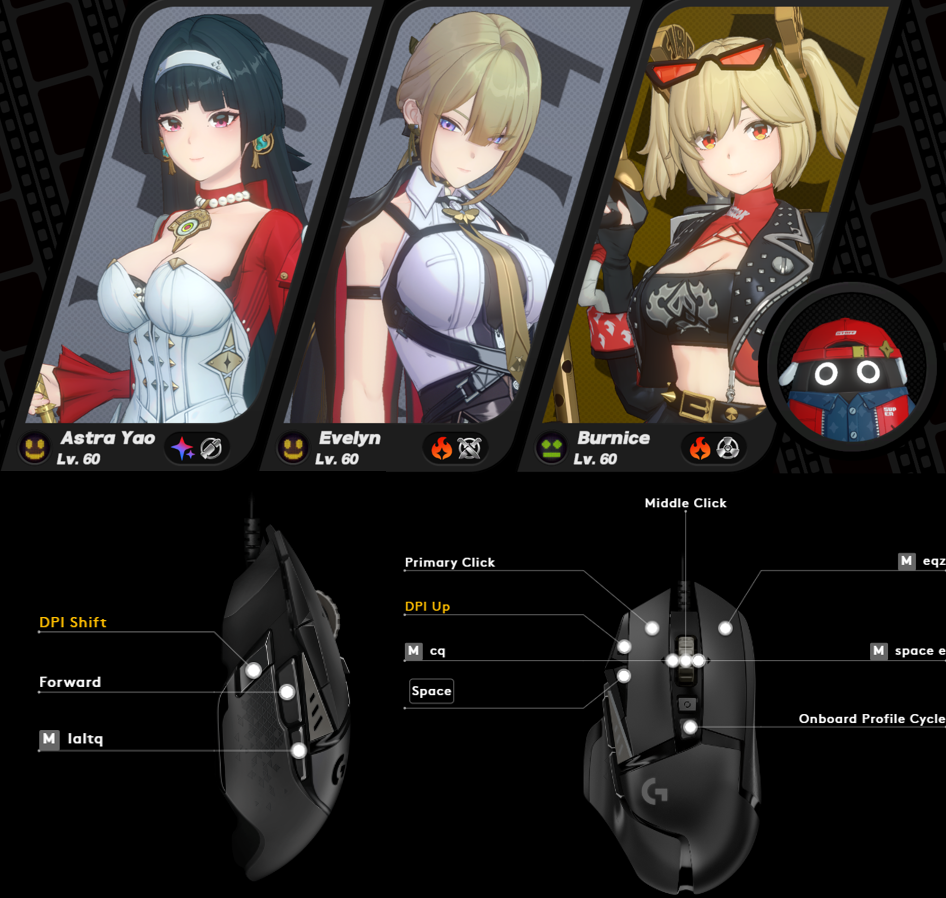
| Right Click | Macro → Sequence → On Press: E → On Release: Q | Skill on press, Ultimate on release |
| LAltQ Button | Macro → No Repeat → Record: LAlt, Q | Bangboo Skill / Quick Switch to Previous Character |
| Middle Button Left Push | Macro → No Repeat → Record: C, Q | Switch to Previous Character / Chain Left |
| Middle Button Right Push | Macro → No Repeat → Record: Space, E | Switch to Next Character / Chain Right |
| Space Button | Key = Space | Switch to Next Character |
Strategy
Works with all agent compositions. Arrange characters left to right in the Quick Assist sequence — the LAltQ button then cycles backwards, which feels natural once you get used to it.
Example team: Astra → Evelyn → Bernice — right-click to skill/ultimate, LAltQ to swap. Barely need to touch the keyboard.
G502 Key & Macro Quick Reference
Frequently Asked Questions
Does the Logitech G502 work well for Genshin Impact?
Yes. The programmable side buttons and tilt scroll wheel map well to character switching and skill/ultimate cycling. The G Hub macro system lets you bind E+Q sequences to one button — genuinely useful for teams with tight rotation windows.
What software do I need?
Logitech G Hub (free). Create a per-game profile tied to the game EXE so macros only activate inside that game.
Can I use this for other gacha games?
The skill/ultimate sequence (On Press: E, On Release: Q) works in any game using those keys. Swap the character keys to match the game.
Will macros get me banned?
No. Genshin Impact and ZZZ don’t ban for mouse macros. These are quality-of-life remaps, not automation scripts.
For more gaming peripheral setups and honest reviews, see the Gaming section.