2025-04-11_Reimagining-Typing–Morse-Code–Clear-Flow–and-the-T9-Keyboard-Revival-eee4a187dd7a
In the evolving landscape of digital communication, innovative keyboard designs have emerged to enhance accessibility, efficiency, and…
Reimagining Typing: Morse Code, Clear Flow, and the T9 Keyboard Revival
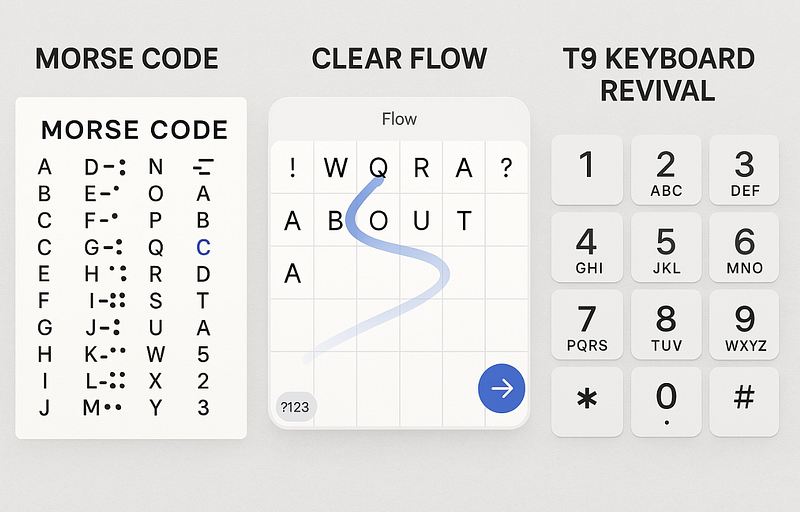
In the evolving landscape of digital communication, innovative keyboard designs have emerged to enhance accessibility, efficiency, and user experience. From Morse code adaptations to gesture-based inputs and the resurgence of T9 keyboards, these developments cater to diverse user needs.
Morse Code Keyboards: Bridging Accessibility and Efficiency
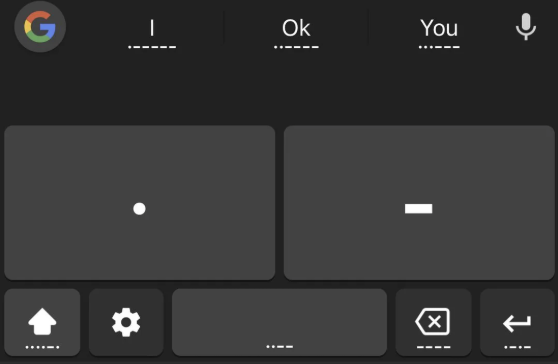
Morse code, a system of dots (·) and dashes (–), has been adapted into modern keyboard inputs, offering an alternative for users with physical disabilities or those seeking minimalist interfaces. Platforms like Gboard on Android provide Morse code keyboards where short taps represent dots, and long presses signify dashes, translating sequences into characters. This method allows for efficient text input using simple gestures.
Morse Code Chart
Here’s a reference for Morse code representations:
A ·-      N -·      0 -----
B -···    O ---     1 ·----
C -·-·    P ·--·    2 ··---
D -··     Q --·-    3 ···--
E ·       R ·-·     4 ····-
F ··-·    S ···     5 ·····
G --·     T -       6 -····
H ····    U ··-     7 --···
I ··      V ···-    8 ---··
J ·---    W ·--     9 ----·
K -·-     X -··-
L ·-··    Y -·--
M --      Z --··
To aid memorization, various mnemonic techniques have been developed. For instance, syllabic mnemonics associate Morse patterns with phrases where stressed syllables represent dashes and unstressed ones represent dots. An example is “CO-ca CO-la” for the letter ‘C’ (−·−·). Visual mnemonics also map Morse elements onto images, such as representing ‘R’ (·−·) as a racecar with wheels as dots and the body as a dash .Wikipedia
Clear Flow Keyboards: Enhancing Swipe Typing
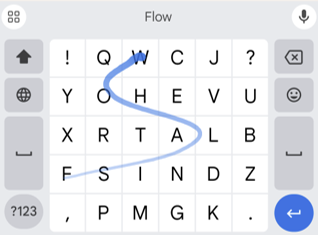
Clear Flow keyboards are designed to improve swipe typing by providing visual feedback. As users swipe across the keyboard to form words, a blue line traces their path, starting with a solid dark blue and transitioning to a lighter blue, indicating the swipe’s progression. This visual aid helps users understand their input patterns, potentially reducing errors and increasing typing efficiency.
The Resurgence of T9 Keyboards: One-Handed Typing Reimagined
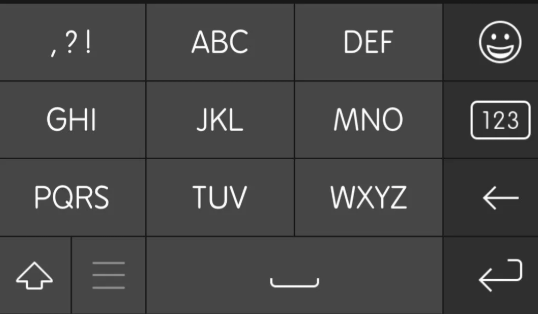
T9 (Text on 9 keys) keyboards, once prevalent on early mobile phones, are experiencing a revival due to their efficiency in one-handed typing scenarios. By assigning multiple letters to each numeric key and utilizing predictive text algorithms, T9 keyboards allow users to type words with fewer keystrokes.
Modern adaptations, like the “Type Nine” app for iOS, combine the traditional T9 layout with swipe functionality, enabling users to input text by swiping between keys. This hybrid approach maintains the compactness of T9 while leveraging the speed of swipe typing.
Additionally, enthusiasts have developed hardware T9 keyboards for desktop use, bringing the one-handed typing experience to computers. These devices offer ergonomic benefits and cater to users seeking minimalist setups.
These keyboard innovations demonstrate the ongoing efforts to make text input more accessible and efficient for diverse user needs.